Write at the speed of speech. In any Windows app.
Hold a key, talk, release — your words appear right where your cursor is. Email, Slack, your IDE, your browser. Cleaned up by AI before they land.
Free · no account · $8/mo for our cloud, if you want it
A native app for Windows 10 and 11. Windows first, on purpose — macOS is next.
Your voice never leaves your computer
The built-in local recognition engine runs fully offline, and it is free without any limit. In cloud mode, audio is processed and not stored afterward.
Free. No account.
The whole application is free — on the on-device engine or your own API key, for as long as you like. Would rather not hold a key at all? $8 a month puts our cloud behind it instead, and you can stop whenever you like. Either way: no sign-up, no password, no email in anyone's database. There's nothing to leak.
Hold. Speak. Release.
1. Press the key.
One key of your choosing — hold it to talk, or tap it to toggle.
2. Say it.
VoxDrot listens while the key is down.
3. Release.
The text is already in your app, right at the cursor.
Prefer hands-free? Tap once to start recording, tap again to stop.
This is the whole application.
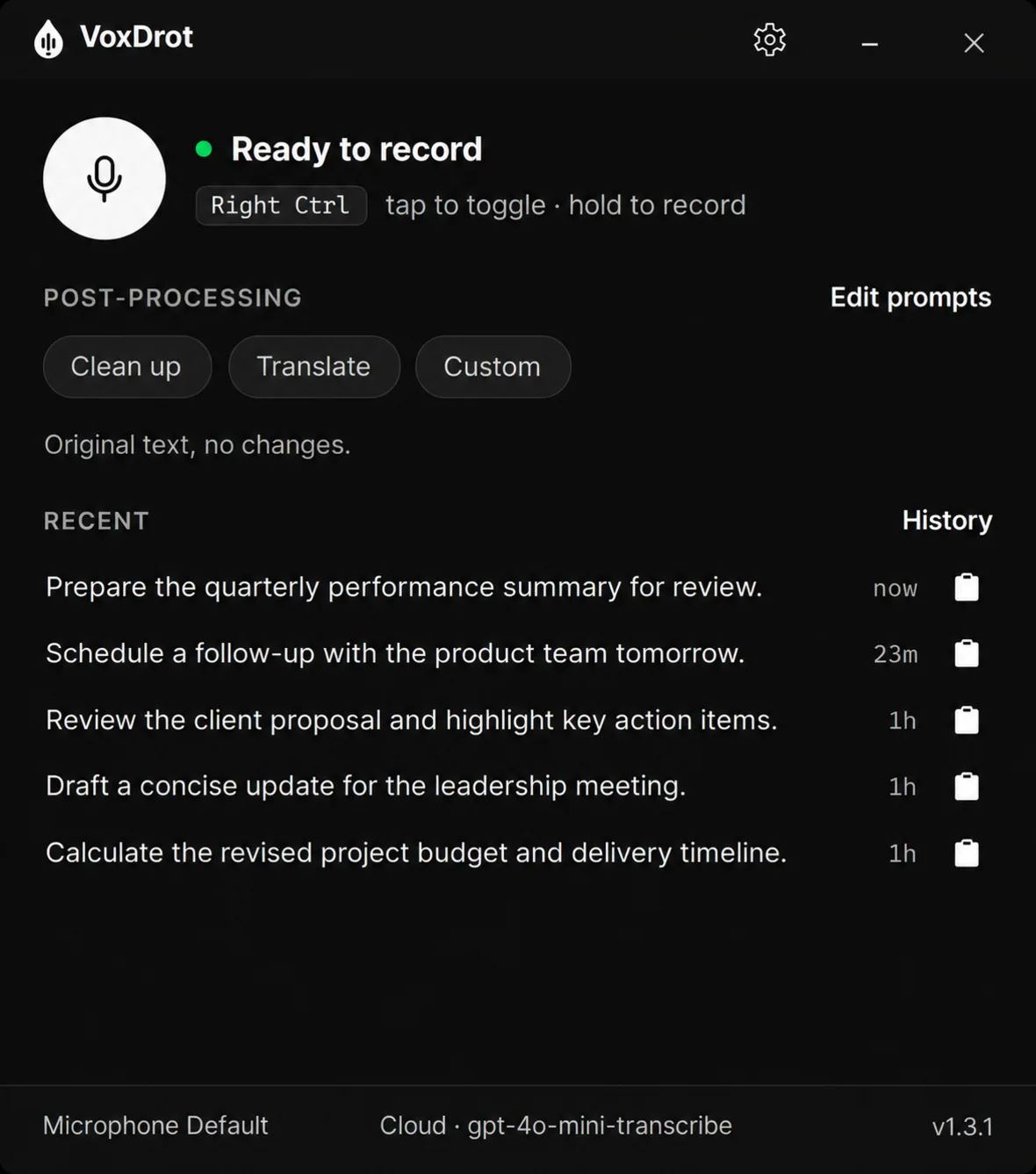
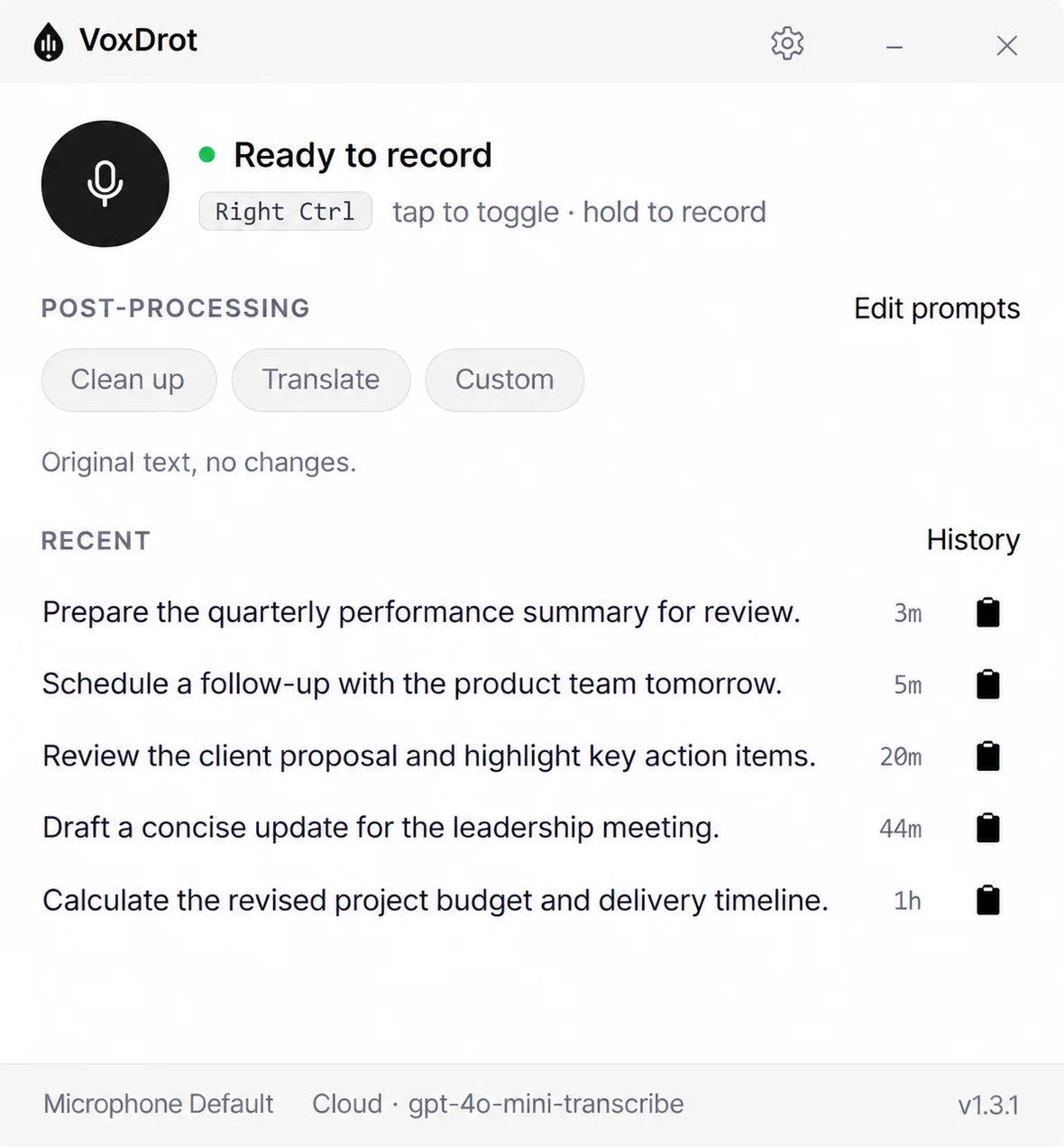
VoxDrot lives in the system tray. The window is where you pick a mode, edit its prompt, choose the key and read back what you said — the dictation itself happens wherever your cursor is, and the window never takes focus from it.
Native .NET, not a browser in disguise — and it follows your Windows theme, light or dark.
Talk to Claude Code, Cursor and ChatGPT. Literally.
The prompt is the slow part. Hold the key, describe what you want, release — it lands in the terminal, the chat box or the editor, punctuation included.
Raw mode keeps your exact words, so nothing "helpful" rewrites a command. Clean up removes the umms. And your clipboard is put back afterwards, so the thing you copied a minute ago is still there.
Speaks your language: the on-device Parakeet engine covers 25 European languages, whisper.cpp covers 99 — from German, French and Spanish to Chinese, Japanese and Arabic.
Built for how you actually work
Works everywhere
Types into any Windows application — not into its own little window. If you can put a cursor there, you can dictate there.
One key, zero context switching
No app to open, no record button to find. Hold-to-talk or tap-to-toggle, over any program, from the system tray.
Text comes out ready
AI post-processing cleans your words before they land: fix grammar, strip the "umms," translate to another language, soften the tone, or run your own prompts ("format as a business email").
Works out of the box
Free, no card and no account. Download and dictate — the on-device engine needs nothing set up, and with a subscription there are no API keys either.
Your clipboard comes back
Pasting with Ctrl+V normally eats whatever you had copied. VoxDrot snapshots the clipboard, pastes the dictation, and puts the original back the moment the paste has landed.
Bring your own key
Already have an API key? Plug in OpenAI, Groq, or xAI (Grok) and pay the provider directly — your key stays encrypted on your device.
The app is free. The cloud is the product.
Free
$0 forever
- ✓The whole app, unlimited, forever
- ✓Runs on the on-device engine — nothing leaves your machine
- ✓Or on your own OpenAI, Groq or xAI key
- ✓20 minutes of our cloud a week — about 2,500 words
- ✓Any number of machines · all updates · no card, no account
Nothing to accept but the EULA, which the app shows once.
VoxDrot Cloud
$8 / month
or $69 a year — 28% less
- ✓Our cloud without the weekly limit, on our keys
- ✓No API key to get, hold or pay for
- ✓We move to the fastest model; you do nothing
- ✓Up to 5 devices · 30-day money-back guarantee
- ✓Cancel any time — the app stays free
Checkout opens soon
By subscribing you accept the EULA and the Terms of Service. Billed monthly or yearly by Polar, our merchant of record. The founder price stays while your subscription renews without a break. Cancelling drops you to the free tier; nothing is deleted.
Twenty minutes of our cloud a week is about 2,500 words — a few long emails. The on-device engine and your own keys have no limit at all, and never will.
VoxDrot vs. subscription dictation apps
Privacy that's engineered, not promised
VoxDrot is built so that trust doesn't depend on a policy page. The architecture does the promising.
- →In local mode, audio never leaves your machine — there is nothing to intercept, log, or subpoena.
- →In cloud mode, audio is not stored after processing.
- →Your API keys (BYOK) are encrypted with Windows DPAPI on your device; BYOK and local mode never touch our servers.
- →On our side, subscription keys are stored only as SHA-256 hashes; your device identifier is a random GUID, not a hardware fingerprint.
Bring your own key: OpenAI, Groq, or xAI (Grok) — your choice.
Questions, answered
Do I need an internet connection?+
No. The local engine works fully offline. Cloud mode and AI post-processing need a connection.
Where does my voice go?+
In local mode — nowhere; recognition happens on your machine. In cloud mode, audio is sent for processing and is not stored afterward. With BYOK, audio goes directly to the provider you chose.
Does it work in terminals and in Claude Code?+
Yes — anywhere a cursor blinks: Windows Terminal, PowerShell, VS Code, Cursor, Claude Code, JetBrains IDEs. Use Raw mode there so nothing rewrites your words.
Is it Electron?+
No. VoxDrot is a native .NET application. It lives in the system tray, starts with Windows only if you let it, and does not run a browser.
Which languages does it understand?+
The on-device Parakeet engine covers 25 European languages: English, Dutch, French, German, Italian, Polish, Portuguese, Russian, Spanish, Swedish, Ukrainian and 14 more. The whisper.cpp engine covers 99, including Chinese, Japanese, Korean, Hindi, Arabic and Turkish. The cloud engines cover at least as many.
What happens when my free minutes run out?+
Nothing breaks. The twenty free minutes a week are our cloud's, and they come back every Monday. The on-device engine and your own API keys are never limited — switch to either and keep dictating. Subscribe and our cloud is unlimited too.
How many devices can I use?+
The free app runs on as many machines as you like. A subscription covers up to 5 devices; a machine you no longer use can be released from Settings, so a full list never needs a support ticket.
How do refunds work?+
Full refund within 30 days, no questions asked. Email us or use the order link in your Polar receipt.
Which versions of Windows are supported?+
Windows 10 and 11 (64-bit).
Why Windows only?+
Because that is where the good native dictation app was missing. macOS comes after Windows is solid — email us from the Contact page and you will hear when it is there.
Windows SmartScreen showed a warning. Is the file safe?+
The installer is signed by Kazkai Tech AB — right-click it, Properties, Digital Signatures. SmartScreen warns about any new publisher until enough people have installed its software; click "More info", then "Run anyway". In local mode the app makes no network calls at all, which any network monitor can confirm.
Can I use my own API key?+
Yes — OpenAI, Groq, or xAI (Grok). Your key is encrypted locally with DPAPI and never sent to our servers.
Stop typing. Start talking.
Free · no account · our cloud $8/mo, 30-day money-back guarantee